Rules for Running a Best Seller Campaign in Authority Agency
Please comply with the following rules when running a Best Seller in the Authority Nation Facebook group.
- Don’t offer incentives or rebates to purchase books.
- Don’t ask for reviews.
- Don’t use Amazon affiliate links in your FB Event or Campaign Post.
- Don’t post links to landing pages or bridge pages. All campaign links must go directly to the Amazon kindle listing page.
- Don’t schedule a campaign if your book is in the same categories as another campaign already scheduled that day.
[su_divider top=”no” style=”double”]
Schedule Your Event in the Authority Nation Facebook Group
Once your book is optimized and you have confirmed the book’s categories, you can schedule your campaign in the Authority Nation Facebook group. If you schedule an event before your book is optimized, a group admin will contact you to reschedule your campaign.
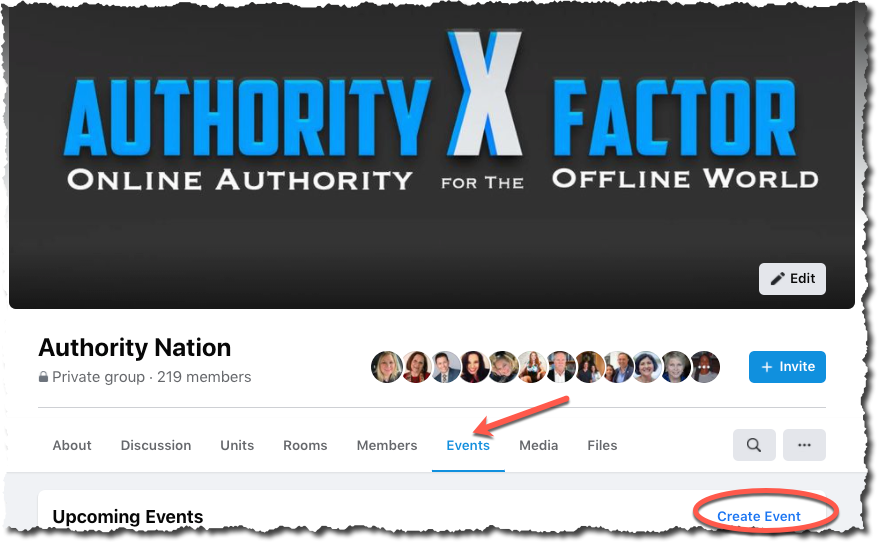
- From the “Events” tab in the Authority Nation Facebook group, select “Create Event.”
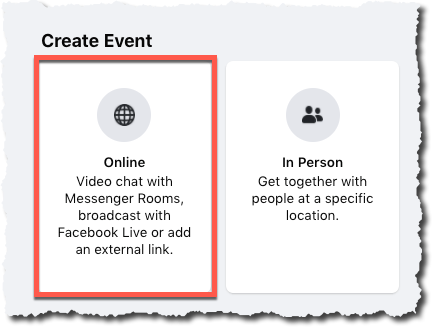
- The “Create Event” dialog box will appear. Select “Online.”
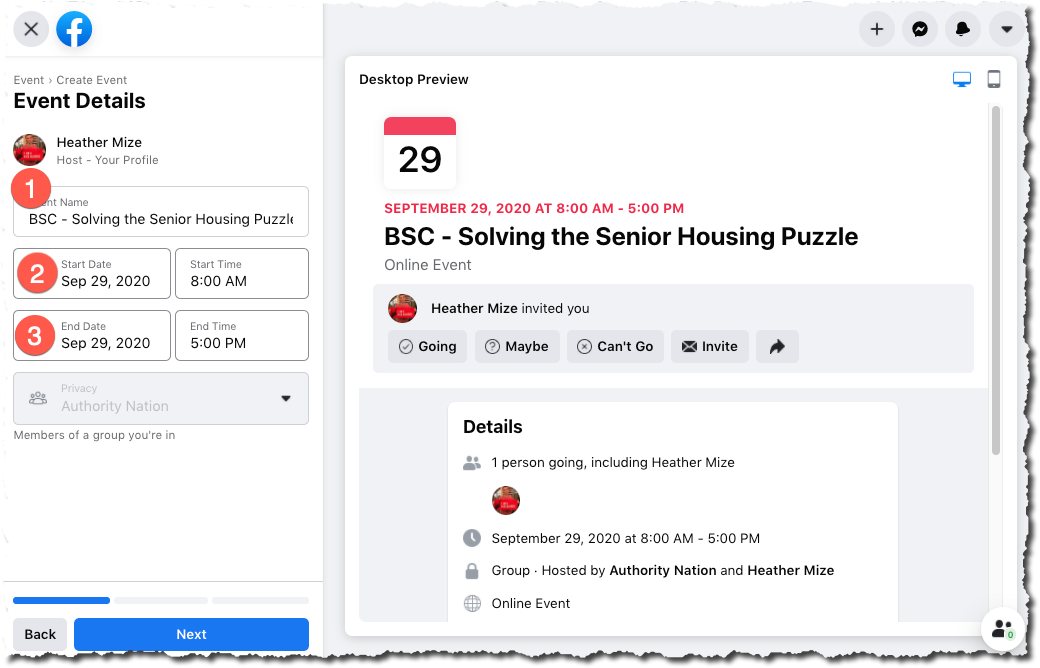
- Add the Event Details. Click “Next” once you confirm the details are correct in the Preview screen.
- Event Name – “Best Seller Campaign for {:2}”
- Start/End Times – Schedule your campaigns from 9:00 AM EST to 1:00 PM EST.
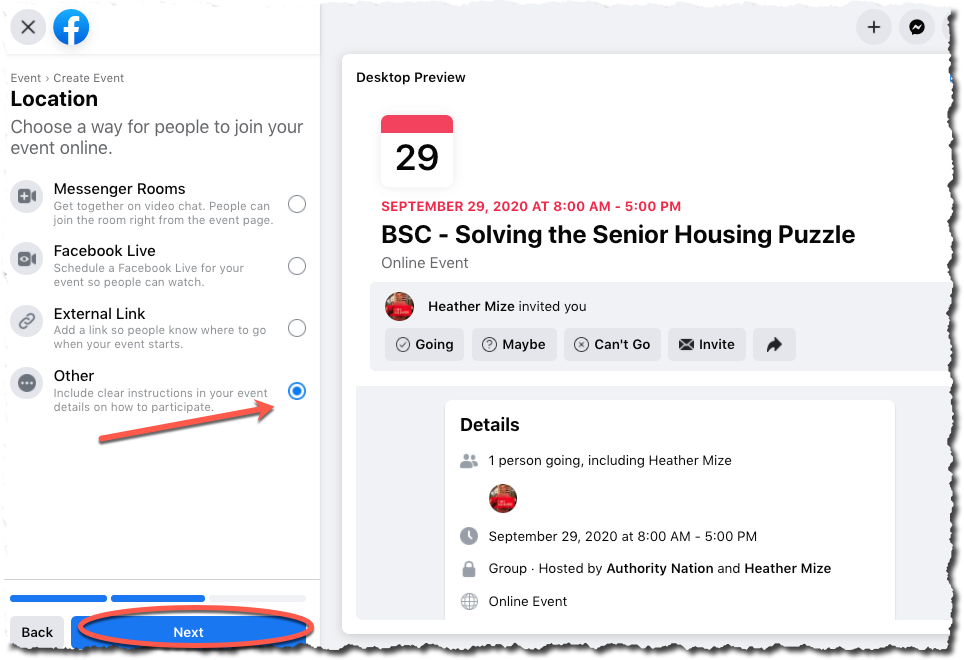
- Location – Select the “Other” option, then click on “Next”
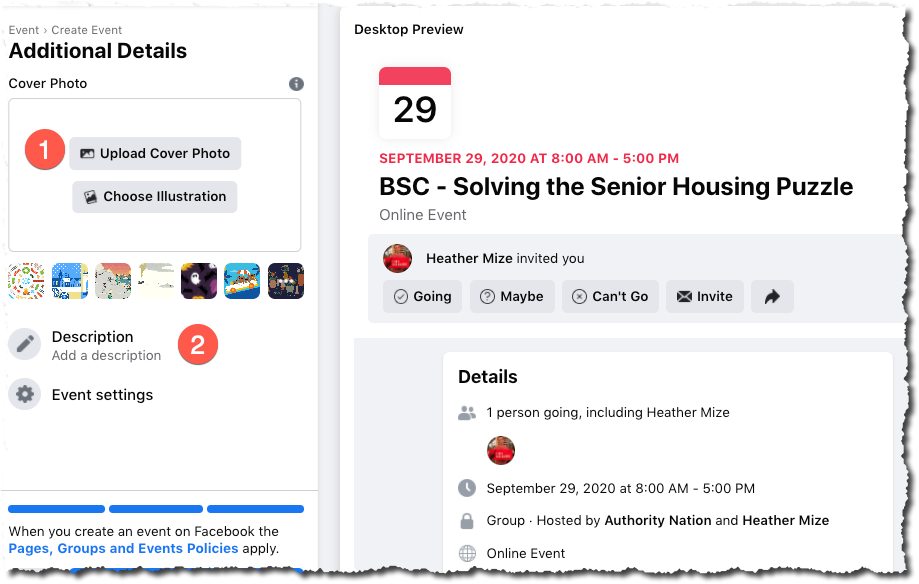
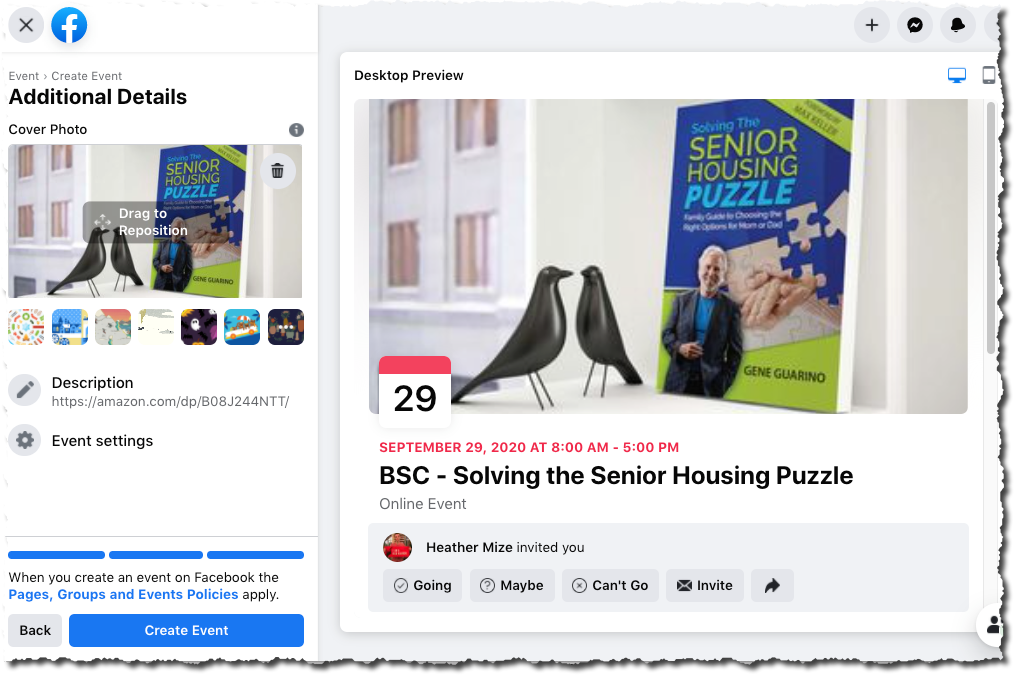
- Additional Details
- Upload the cover photo
- Enter the URL to the book on Amazon
- Click Create Event.
Agency members will be notified via Facebook notifications that an Event is scheduled.