Book Optimization
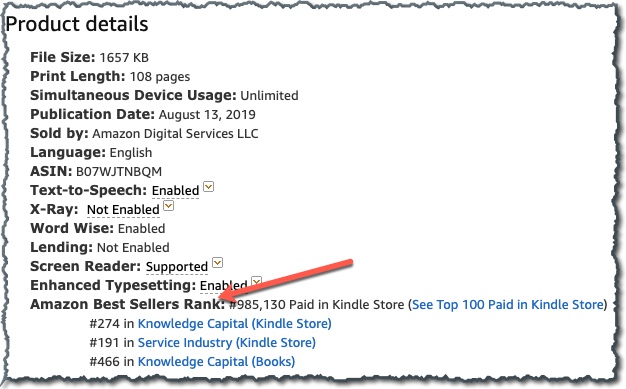
Do not schedule a campaign in the group until you have confirmed that the book is registered in Amazon’s ranking system.
- Publish the book.
- Once live, purchase a copy of the book in the .com store. (If you are not US-based, contact support@authorityagency.com with the link and an admin will purchase a copy.)
- Listings will be updated 24-48 hours after the first copy is purchased.
- Rankings will appear under “Enhanced Typesetting” in the Product Details section of your book listing.
Test that the price can be set to .99
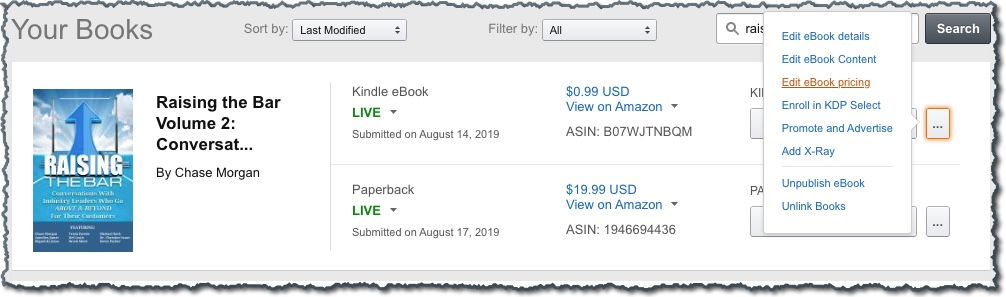
- Login to the KDP account
- From the Bookshelf, select the … under KINDLE EBOOK ACTIONS
- Select Edit eBook Pricing
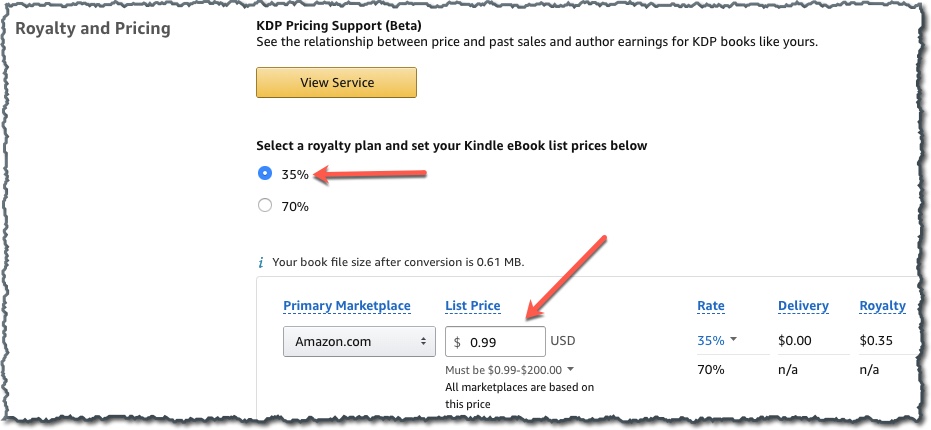
- Under “Royalty and Pricing” ensure that 35% is selected under royalty plan and 0.99 is entered under List Price.
- If your eBook file is over 3MB, you will not be able to set the price to 0.99. (See Kindle Pricing Requirements training for more information about file sizes and Tips to Reduce File Size in Word.)
- If you are unable to reduce the file size to set the price to 0.99, make a note in your Best Seller campaign post that the price is as low as possible due to a lot of images increasing the file size.