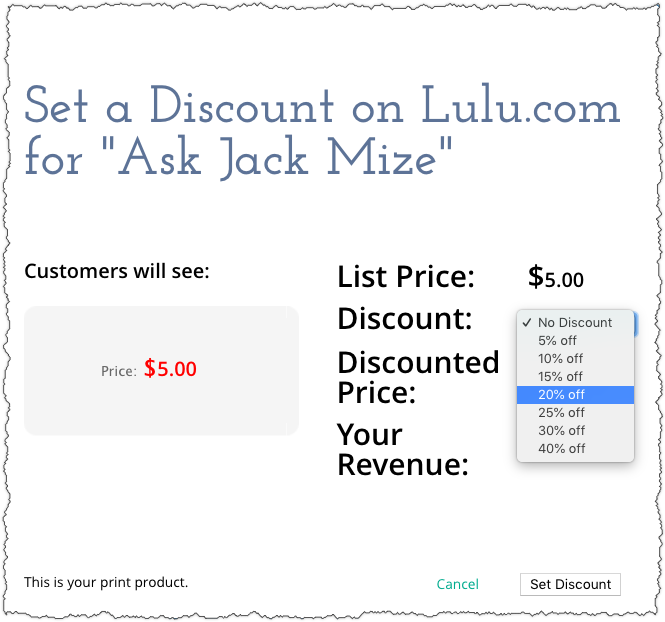
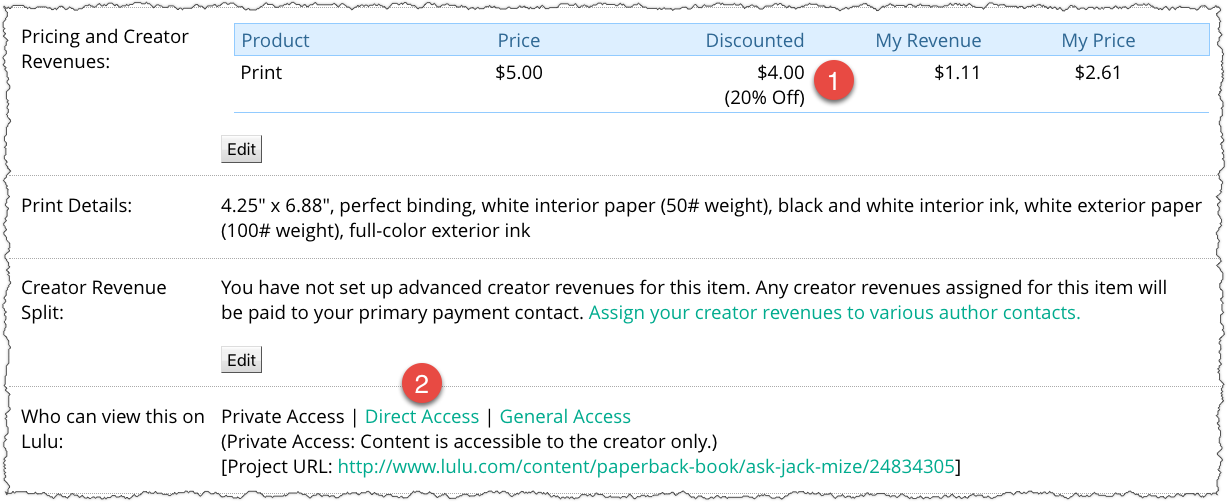
Once your book is uploaded to Lulu, you can set a discount from 5% to 40% off the price of your book. You can also choose how buyers can access your book. Private Access will allow the account owner to purchase copies of the books. Direct Access will allow the account owner to provide a custom link for buyers to purchase copies of the book.
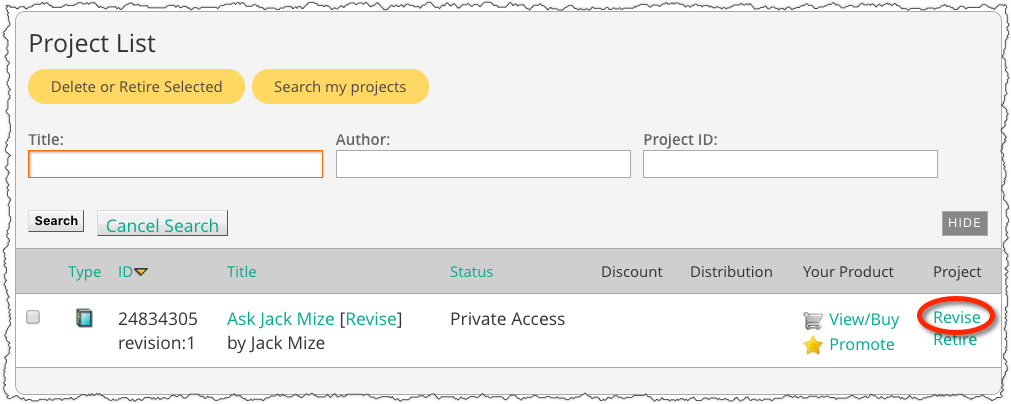
- From the Projects List in your Lulu account, click on “Revise” next to the book title you want to update.
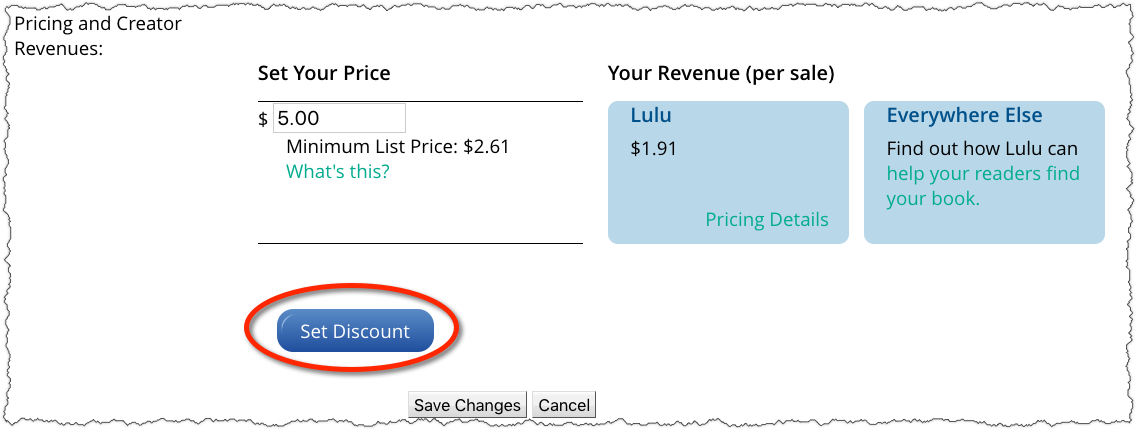
- Scroll down until you see Pricing and Creator Revenues.
- Click Edit.
- Scroll down until you see Pricing and Creator Revenues.
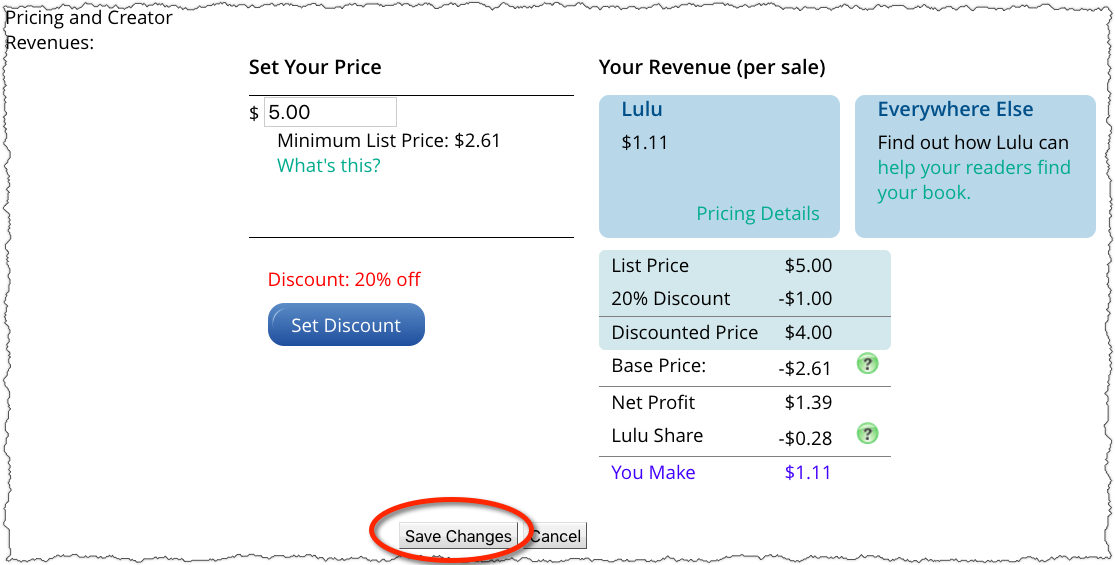
- Click on Set Discount.
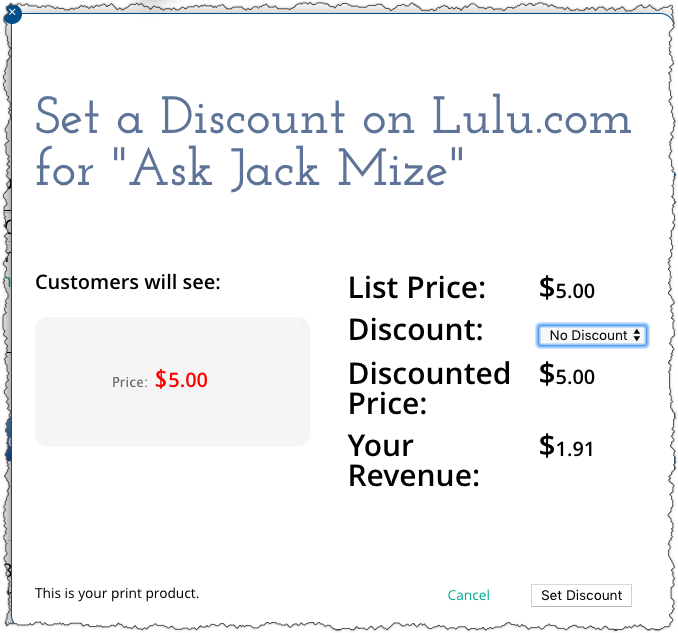
- You will see the book’s current price and your revenue
- Click on the dropdown list next to “Discount” and select the desired discount percentage.
- Click “Set Discount.”
- Click “Save Changes.”
- You will see the discounted amount on the book’s detail page.
- The book will now be available for purchase via the Direct Access link.