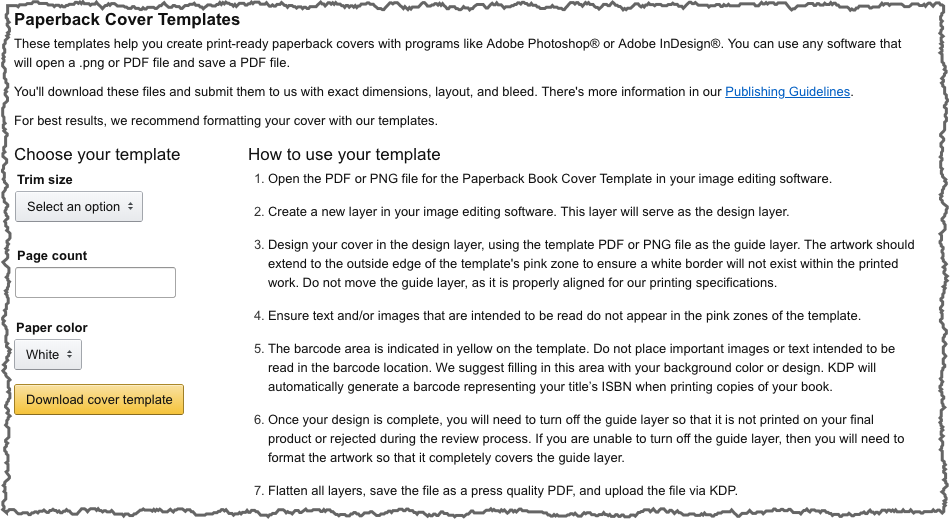
For best results, download a cover template based on the number of pages in your document and the paper type.
 [su_button url=”https://kdp.amazon.com/en_US/cover-templates” target=”blank” background=”#2779C1″ color=”#ffffff” size=”6″ center=”yes” radius=”0″]KDP Cover Template Builder[/su_button]
Cover Requirements
Your cover must be a single PDF file that includes the back cover, spine, and front cover as one image.
Finish Options
KDP covers are printed on 80# (220 GSM) white paper stock with either glossy or matte finish:
- Glossy finish is shiny, makes black covers darker and artwork more striking, and is typically used for nonfiction books.
- Matte finish has minimal sheen and a subtle, polished look. It’s typical for novels and other fiction books.
Use the KDP Cover Template Builder to create a guide for sizing your physical book covers, including spine width.
Cover Backgrounds
- If you want to add a background color, make sure it extends 0.125″ (3 mm) beyond the final trim size on all edges to prevent a white border from appearing at the edge when your book is trimmed.
- Choose a background color that is not too similar to the text color or the text might blend into the background and be hard to read.
- Borders are not recommended because KDP must allow for a 0.125″ (3.2 mm) production variance that may trim the border or cause it to appear uneven. If your file includes borders, they should cover at least 0.25″ (6.3 mm) inside the trim line. White borders must meet KDPs minimum border width or your file may be rejected.
Images
- Images must extend 0.125″ (3 mm) beyond the final trim size on all edges to prevent a white border from appearing at the edge when your book is trimmed.
- Images may be CMYK or RGB color. All images should be sized at 100%, flattened to one layer and placed in your document at a minimum resolution of 300 DPI (dots per inch).
Spine Text
- A minimum of 100 pages is required to include spine text.
- Spine text needs at least 0.0625″ (1.6 mm) on either side so that the text doesn’t wrap onto the front or back cover.
Barcodes Size and Placement
- You include your own barcode. It must have a 300 dpi resolution and needs to be 2″ (50.8 mm) wide and 1.2″ (30.5 mm) high. Make sure the barcode doesn’t obscure other elements on the cover.
- If you don’t have a barcode, you can request KDP place an ISBN barcode in a 2″ (50.8 mm) by 1.2″ (30.5 mm) white box in the lower right-hand corner of your book’s back cover. If you leave images or text on this part of the cover, the barcode will cover them during printing, so don’t leave anything important there.
Saving Your Cover as a PDF File
- The back cover, spine, and front cover should all be saved in one PDF.
- Flatten all transparencies.
- Embed your fonts.
- Remove crop marks, color bars, template text.