During the uploading and publishing process, KDP allows you to list 10 contributors and their titles on the book’s details page. To include more than 10 authors for multi-author books :
- Add the first 10 authors as contributors
- Publish the book
- Once published, Amazon assigns an ASIN number to the book
- Contact KDP Support
Option 1: Email KDP support – kdp-support@amazon.com (must be done from the email address associated with the KDP Account) with the request provided below.
Option 2: Login to the KDP account where the book is published.
- Select Help from top menu
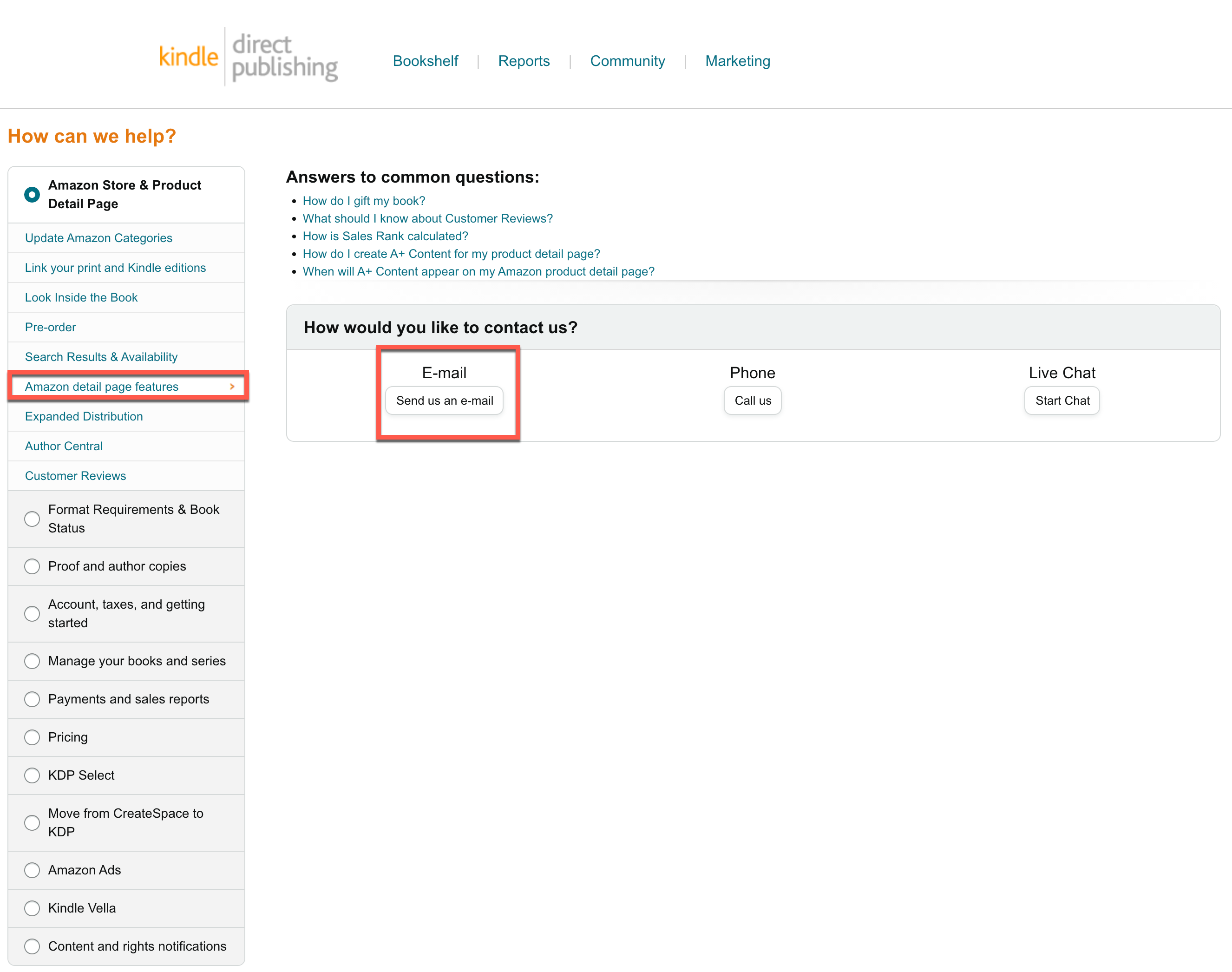
- Scroll to the bottom left of the screen and choose ‘Contact Us.’
- Select ‘Amazon Details Page Features’ and ‘Send Email’
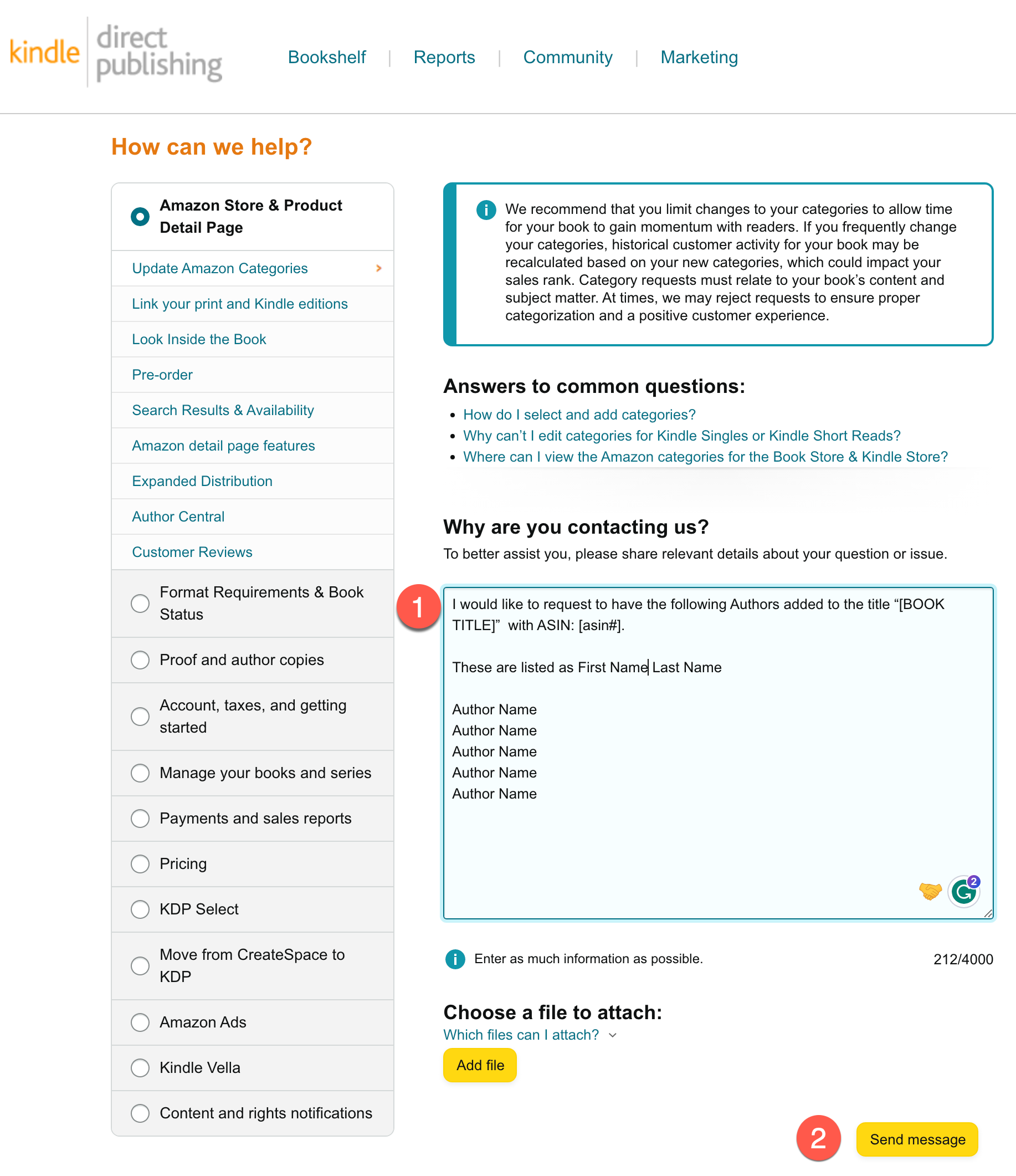
- Enter the following information in the ‘Why Are You Contacting Us?’ text box.


Subject: Request To Add Contributors
I would like to request to have the following Authors added to the title “[BOOK TITLE]” with ASIN: [asin#].
These are listed as First Name Last Name
Author Name
Author Name
Author Name
Author Name
Author Name
After receiving your request, KDP will add additional authors within 24-72 hours.