For more information about ISBNs, view All About ISBNs
Free KDP-assigned ISBNs
KDP can assign you a free ISBN during the publication process. After you have entered your paperback details, you will be taken to the Paperback Content tab where you can select Get a free KDP ISBN.
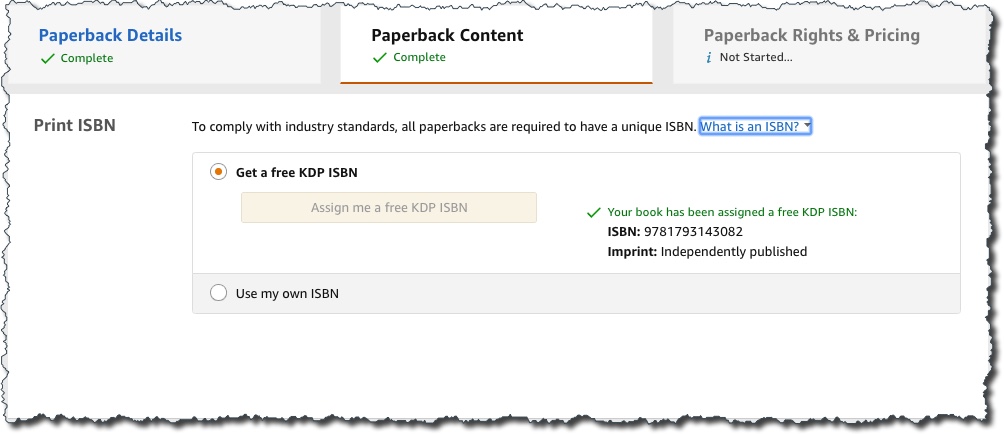
[su_box title=”NOTES ABOUT USING FREE KDP-ASSIGNED ISBNs”]
- This ISBN will need to be included on the copyright page of your printed book.
- Your book’s ISBN information will be registered with BooksInPrint.com®
- The “Publisher” field on your paperback’s Amazon detail page will read “Independently published.”
- This ISBN can only be used on KDP for distribution to Amazon and its distribution partners and cannot be used with another publisher or self-publishing service.
[/su_box]
Purchase Your Own ISBN
- U.S.-based publishers can visit https://www.myidentifiers.com/identify-protect-your-book/isbn/buy-isbn to purchase ISBNs from Bowker
- KDP authors can purchase an ISBN at a discounted rate ($99) from Bowker at https://www.myidentifiers.com/myid_cart
- UK-based publishing companies can purchase ISBNs from Nielsen.
- In many other countries, ISBNs are free, provided by the government through the library system or another administrative branch. To look up the agency for the region your publishing company is based, used the the search tool at the International ISBN Agency .
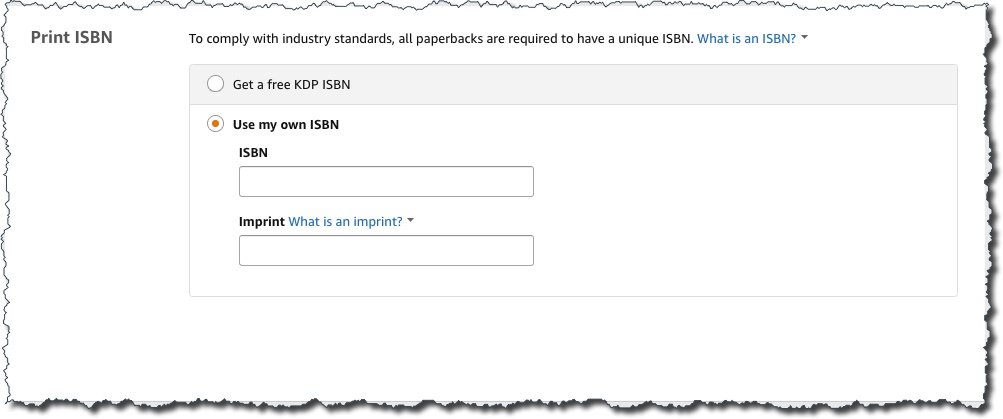
When you enter an ISBN number and Imprint that you have purchased, KDP will verify that your book’s imprint matches what is on file with Bowker.