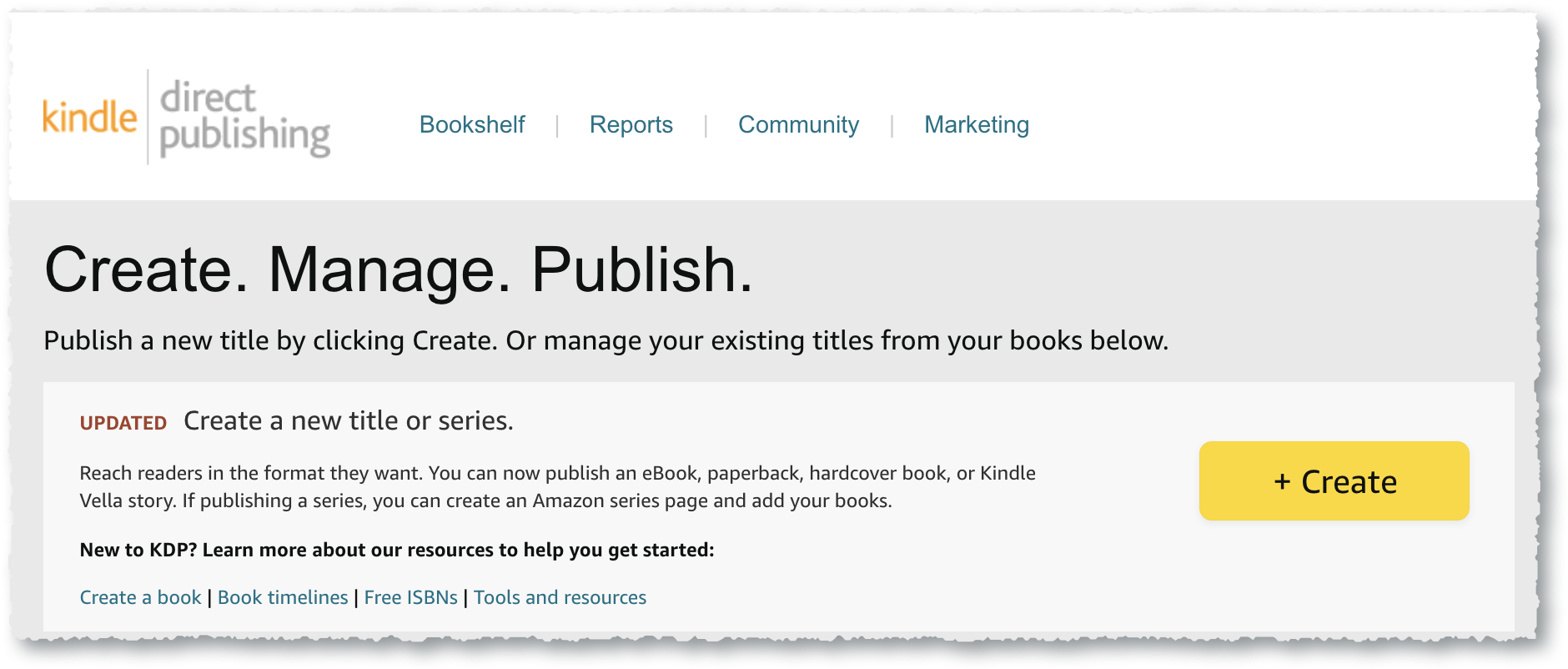
From your KDP dashboard, select “Create.”
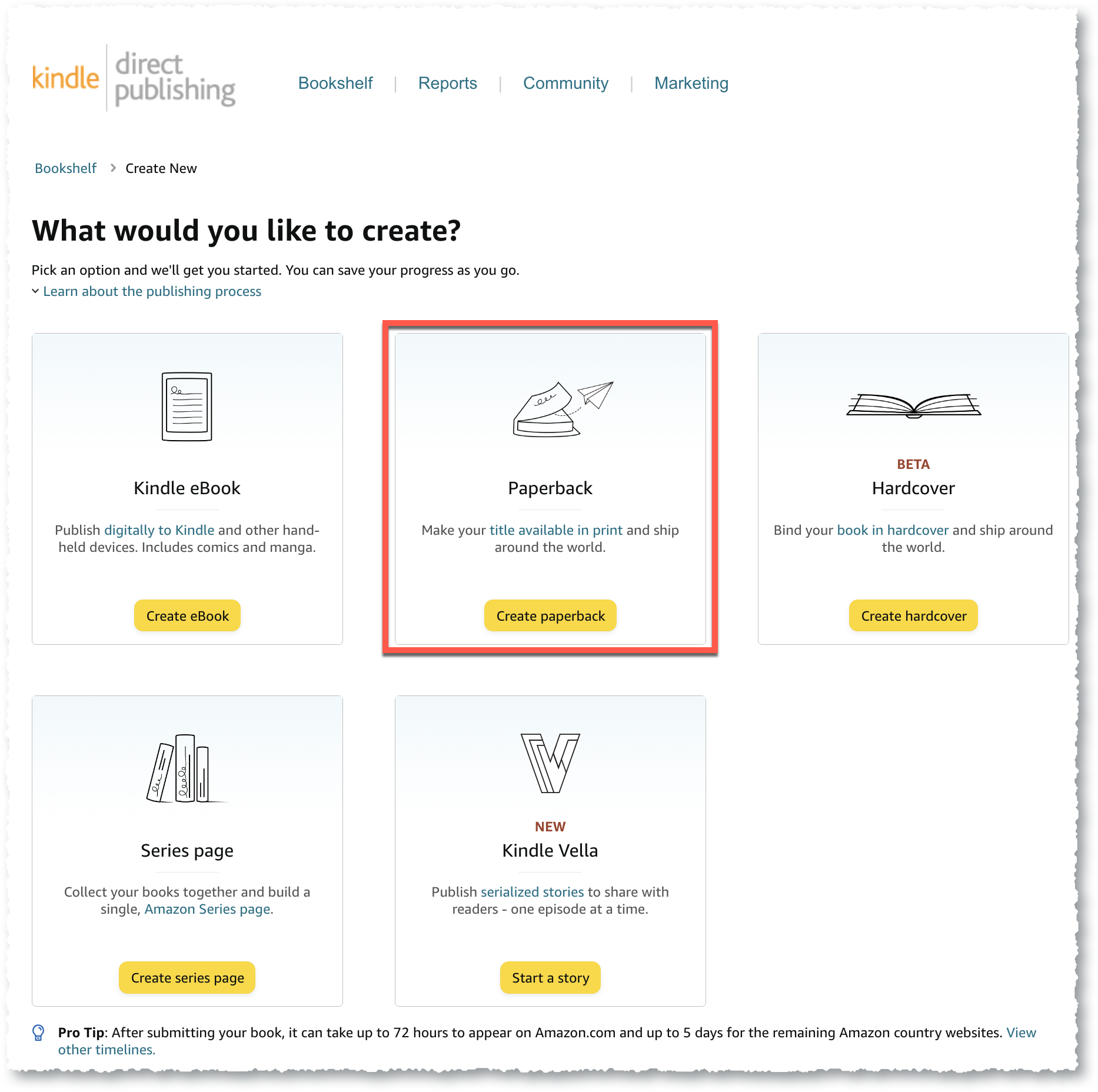
Choose “Paperback” from the options listed.
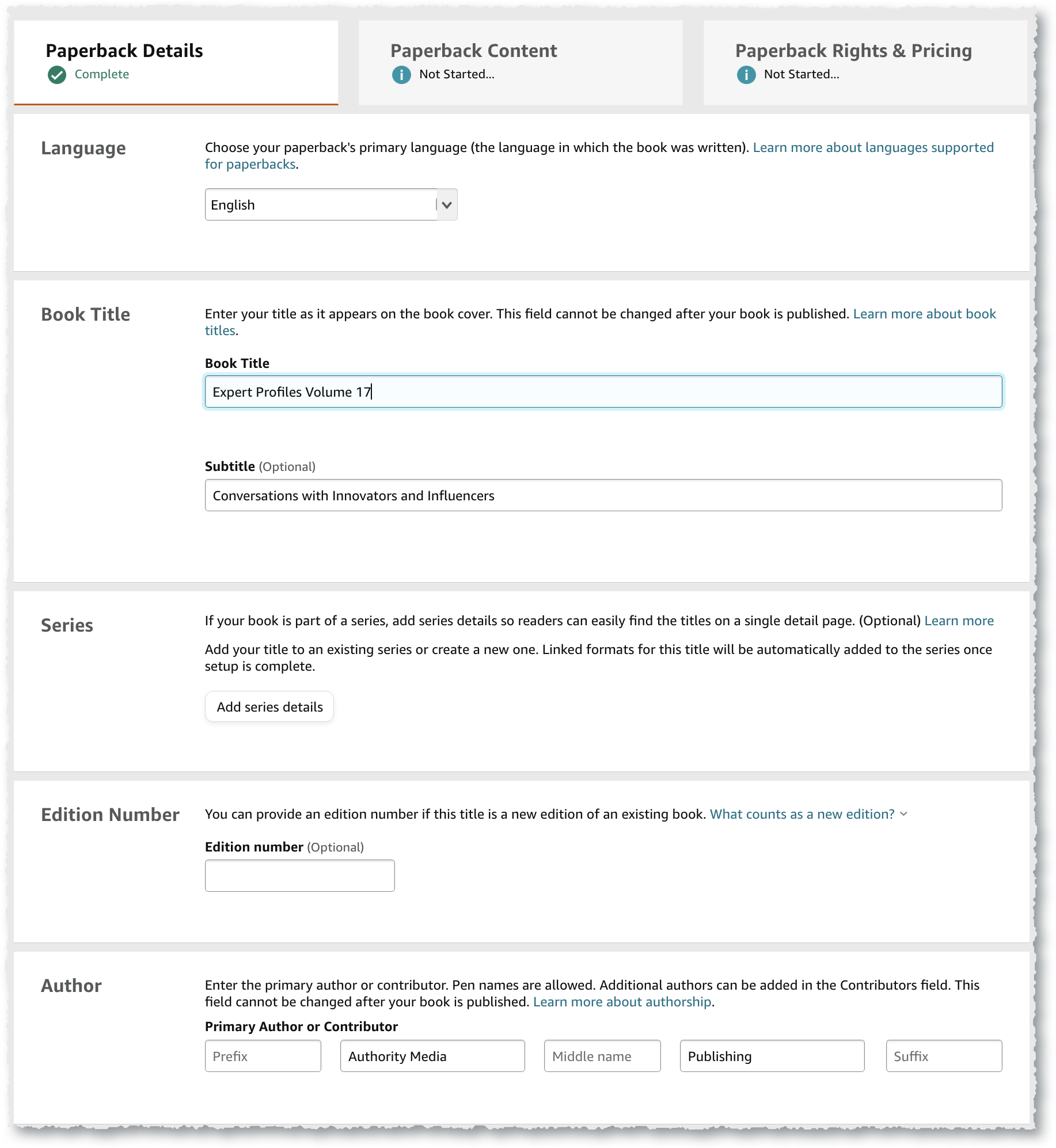
Details
Book Title, Edition, & Author
| Language | Select the primary language for the book |
| Book Title | Enter the title exactly as it appears on your book cover. It cannot be changed after the book is published. |
| Subtitle | Optional. Must be listed exactly as it appears on your book cover. It cannot be changed after the book is published. |
| Series | Optional. |
| Edition | Optional. |
| Author | Enter the primary author’s name. |
| Contributors | Select the contributor type and enter their names. |
| Additional Contributors | Currently, KDP permits you to include up to 10 contributors when publishing an eBook. |
Book Description
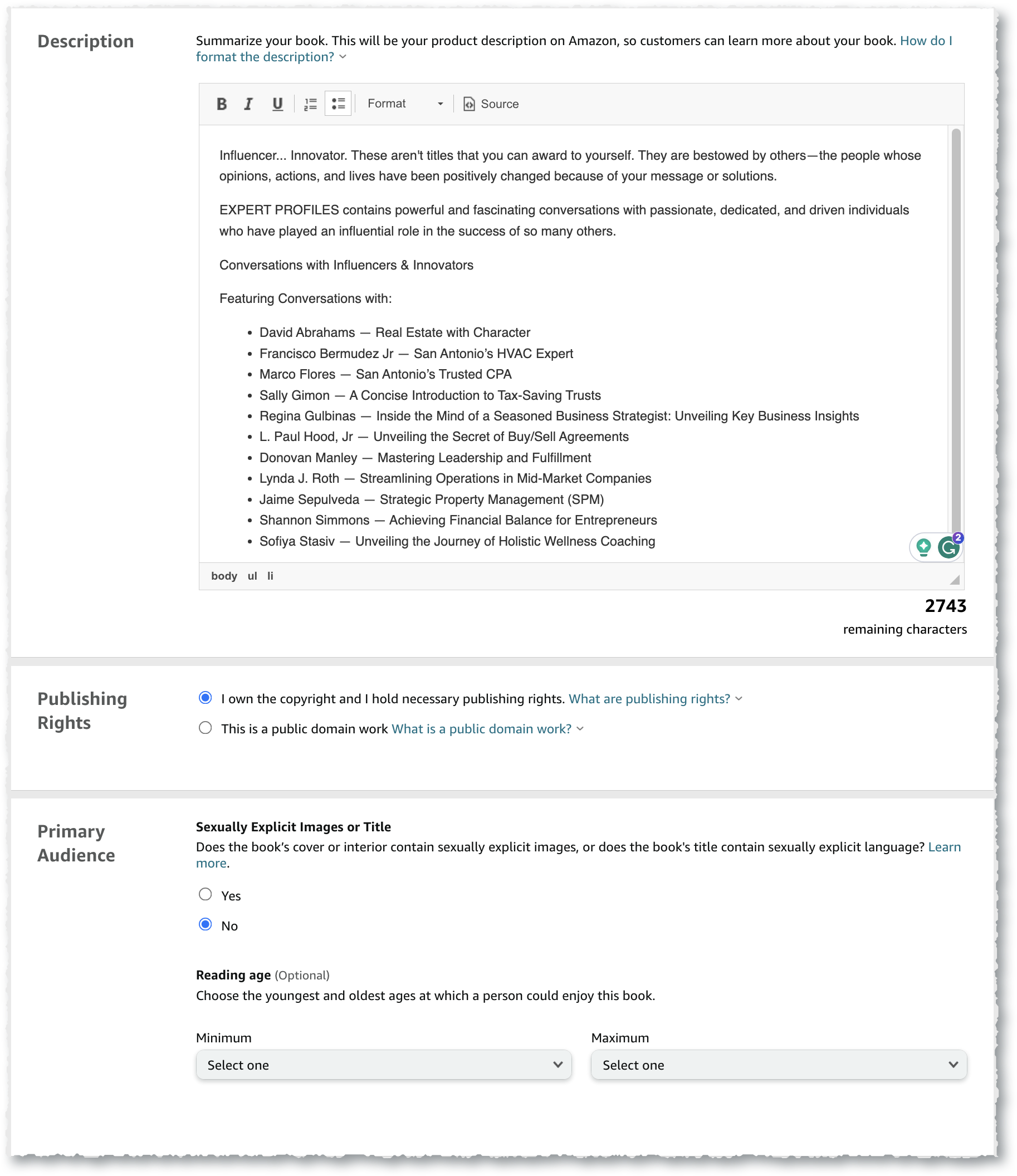
| Description | Enter the book description (up to 4000 characters). |
| Publishing Rights | Confirm that you have the rights to publish this book. |
| Primary Audience ***Important*** | Adult Only Content – You must indicate whether the book’s content is appropriate for children under 18 years of age. You will not be able to select categories until you make a choice. |
| Reading Age – Choose minimum and maximum ages (infant to 18+) |
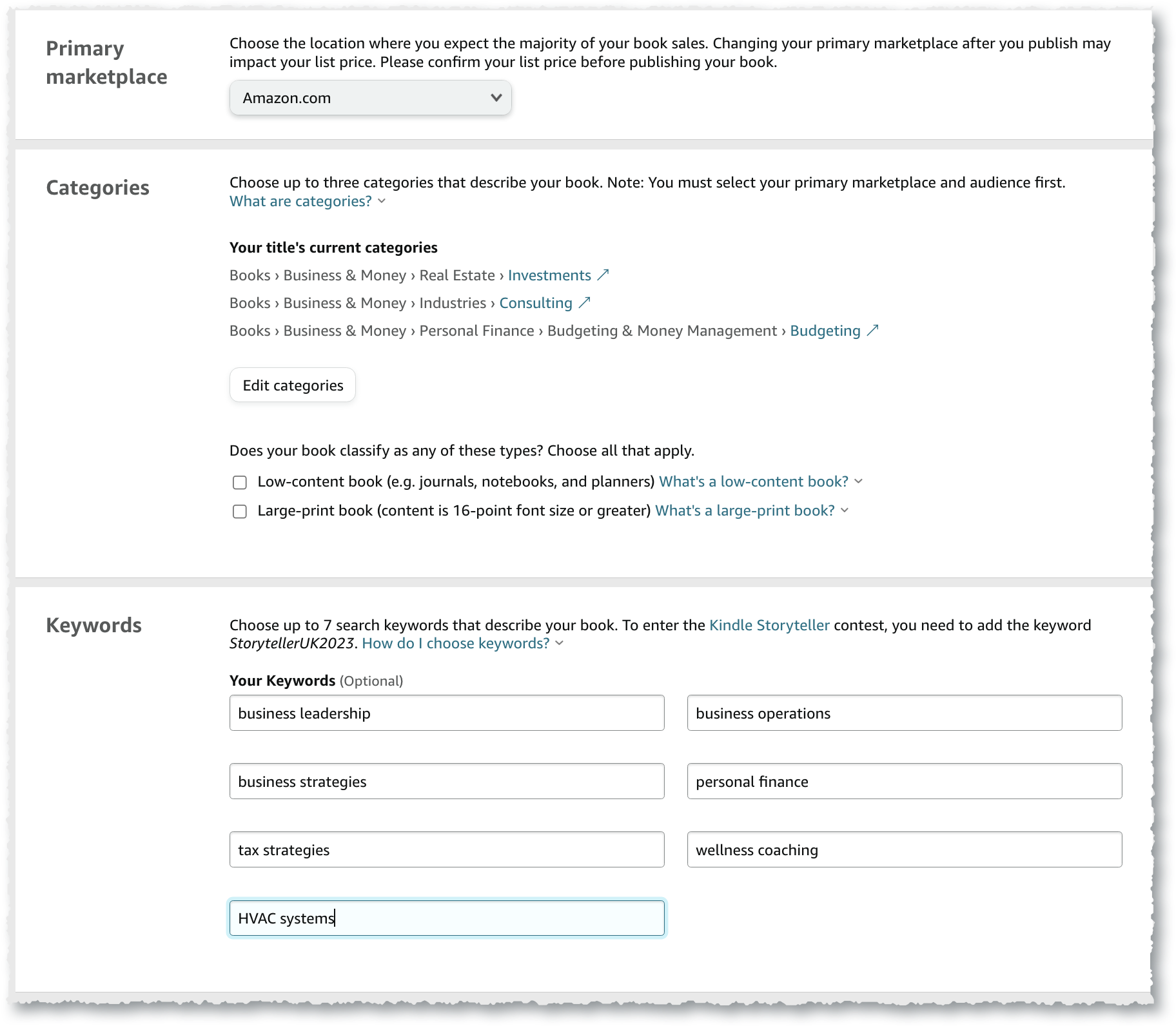
Categories & Keywords
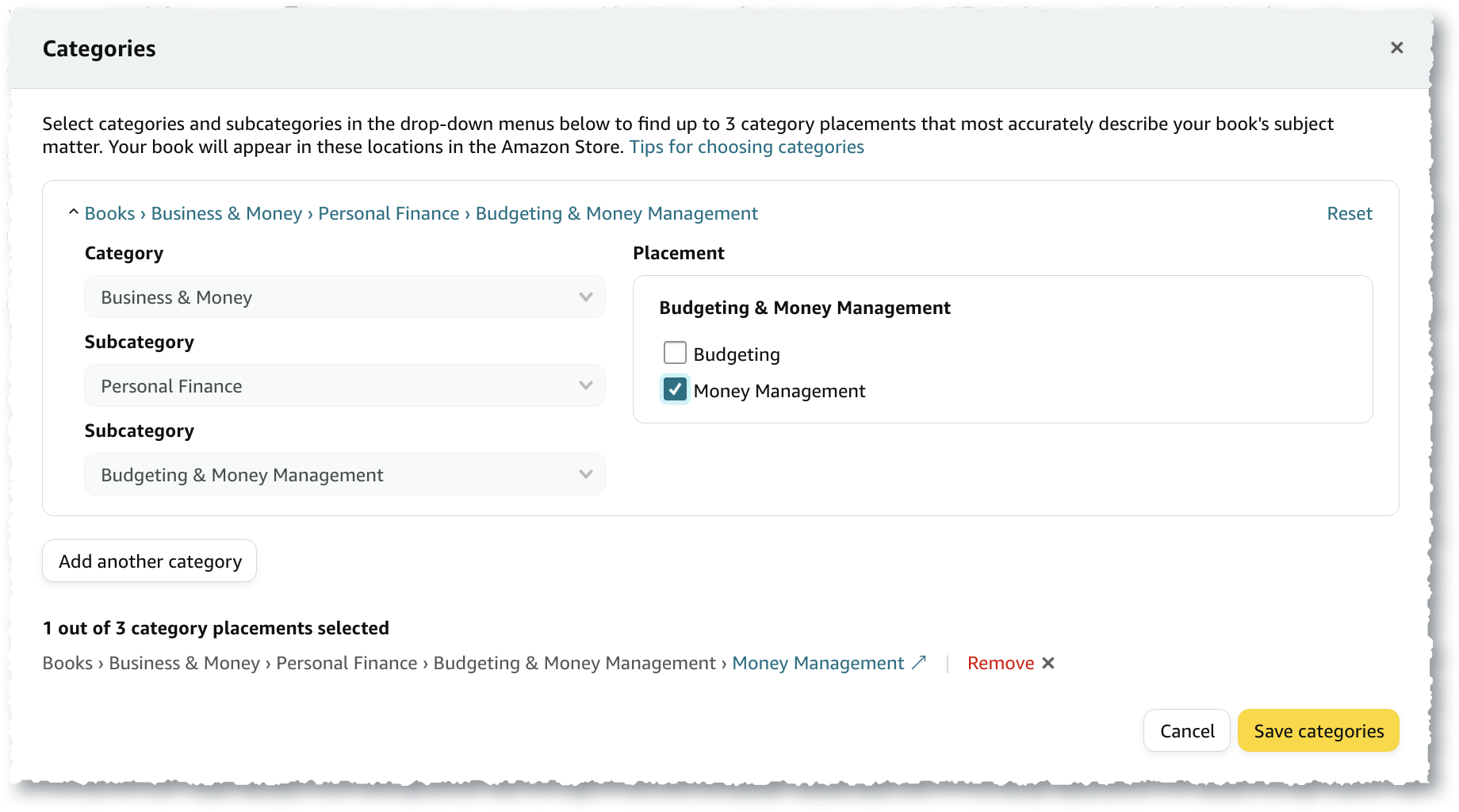
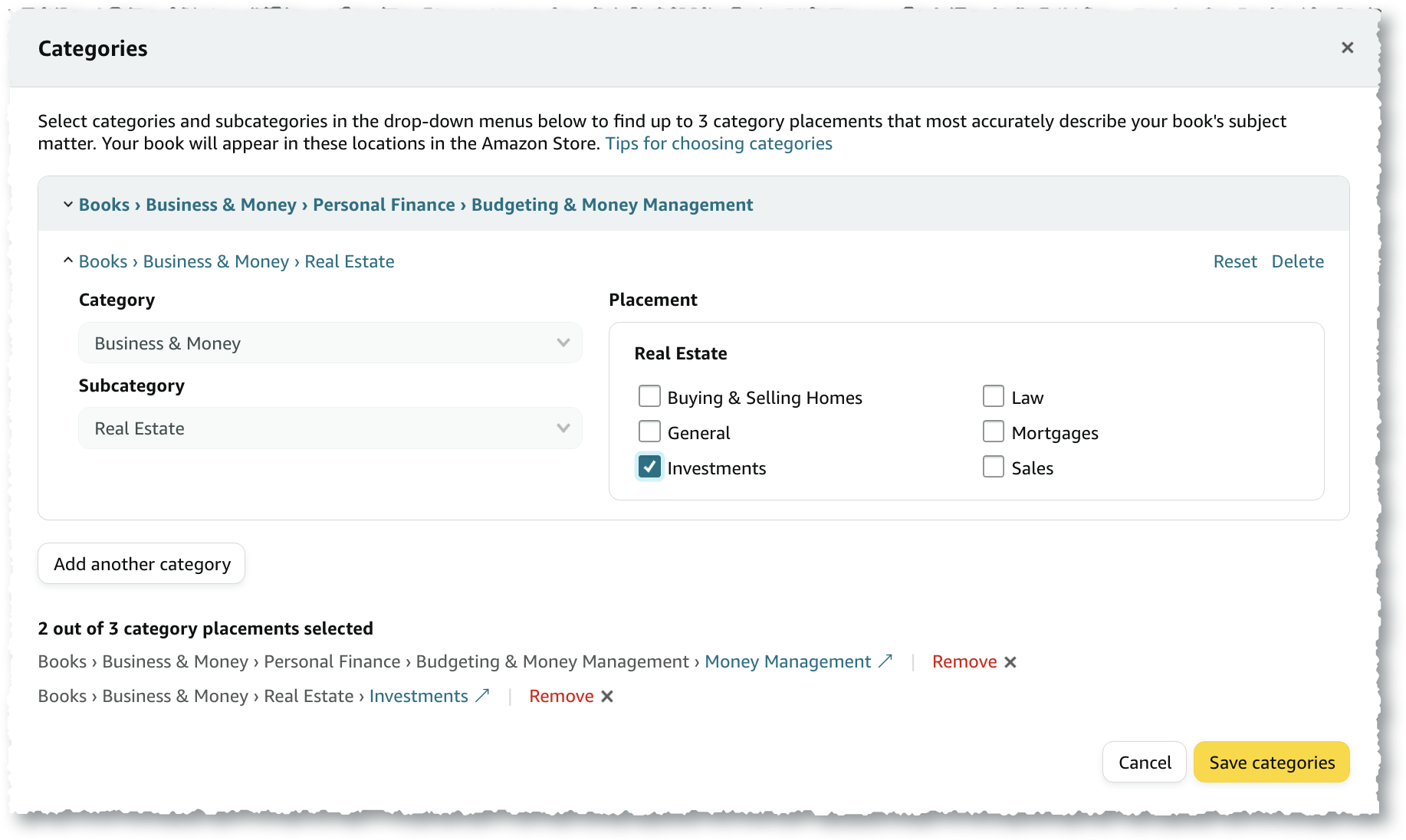
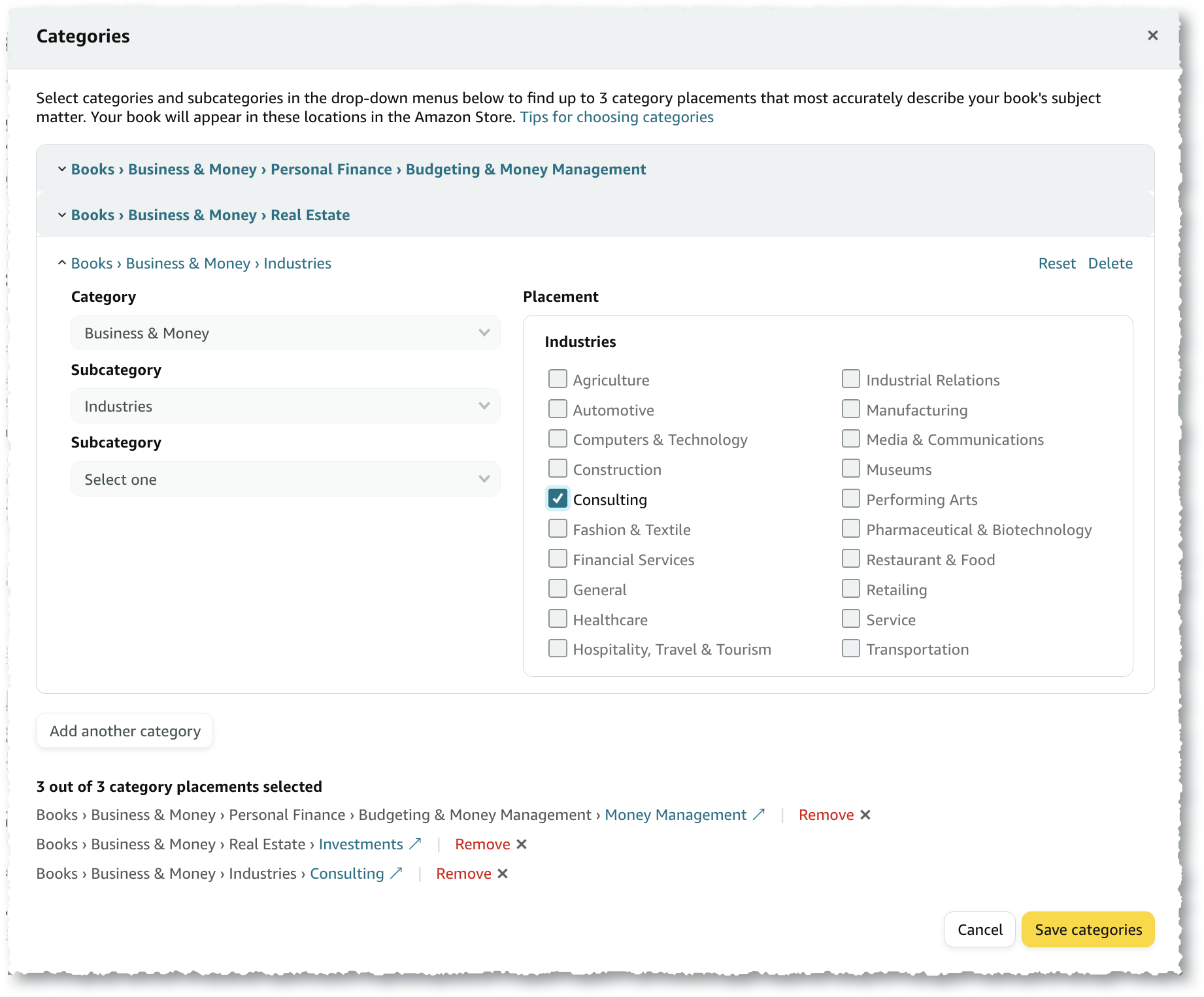
| Categories | Choose up to 3 Categories. |
| Keywords | Enter up to 7 keywords that describe your book. |
| Primary Marketplace | Select the market where you anticipate the majority of your book sales will come from. |
Categories & Keywords
Select Category 1
Select Category 2
Select Category 3
Enter Keywords